


USA Flight Tracker: Monitoring
3.013.00 Reviews
App Specs
- Version
- 47.0
- Updated On
- License
- Free
- Downloads
- 100,000+
- Developer
- Mobilytros
- Categories
- Travel & Local
- Platform
- Android
Screenshots

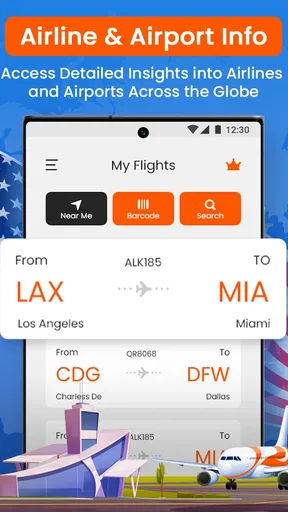
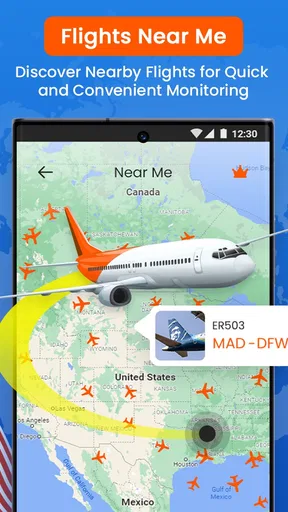
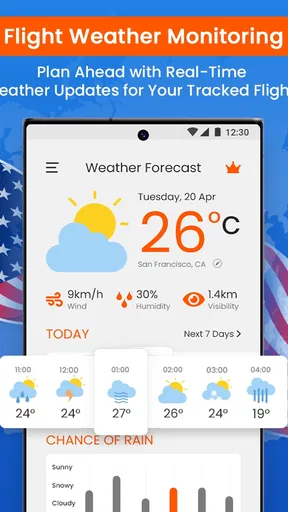
 Analysis by AppCompare
When I am meeting someone at an airport, the most useful question is often not simply whether their plane is in the air, but whether its progress changes what I should do next. USA Flight Tracker: Monitoring is built around that practical need: following flights so I can make plans with a little more confidence. I see it as a focused travel companion, especially for domestic trips in the United States, rather than a replacement for every airline or airport service.
Following a flight instead of guessing
The central appeal is flight monitoring. Rather than relying on a departure time remembered from a text or itinerary, I can look up a flight and check its progress. That matters most when timing is fluid: a departure may be delayed, an arrival may shift, or a pickup plan may need adjusting. The app’s purpose is to keep those changes in view without making me search from scratch each time.
For someone who checks a flight several times during a busy day, a tracker can be more convenient than opening an airline page, finding the right trip, and navigating to its status. A dedicated flight view puts the journey itself at the center. I would still treat an airline’s own communication as important for decisions about check-in, boarding, or rebooking, but the tracker is useful for keeping an eye on the overall picture.
What monitoring changes in everyday use
The difference is less about making travel effortless and more about reducing avoidable uncertainty. If I am collecting a relative, I can check the flight before leaving home instead of setting off based only on the original arrival time. If I am travelling myself, I can follow the trip while sorting out other plans. That small adjustment can prevent an unnecessary wait at the airport or a rushed change of plans.
A practical habit is to look up the flight using its number when the itinerary is available, then check again closer to the time when the information will affect a decision. I would avoid treating any single status check as a reason to cut arrival time close: airport procedures and airline instructions still matter, and a tracker is best used as a planning aid rather than permission to ignore them.
A useful companion, not an airline replacement
Flight trackers sit between airline apps and general travel tools. An airline app is usually the natural place for information tied to your booking and for handling changes to your ticket. A tracker is more appealing when you are watching a flight without being the passenger, or when you want a quick view of flight progress without opening a booking account. For airport-wide logistics, the airport’s own information can be more directly useful. I would choose the tool based on the question I need answered, rather than expecting one app to handle every part of a journey.
USA Flight Tracker: Monitoring is a free travel and local app from Mobilytros, with optional in-app purchases priced from $21.99 to $69.99 per item. It is rated for Everyone and has an average rating of 3.0 from 627 ratings, with 100K+ installs. It was released on Dec 7, 2021; version 47.0 supports Android 7.0 and later. Those figures suggest it has reached a meaningful audience, while the modest rating is a reminder to approach it with practical expectations instead of assuming every user will find it flawless.
Worth Reading Before You Choose

Flipboard Shows What News Apps Must Do Beyond the Feed

Switching to Android Auto Means Rethinking Your Driving Routine

Google Calendar Makes a Crowded Week Easier to Manage

Ludo King Makes the Most of the Minutes Between Plans

Baby Panda World Brings Quick Play to Modern Phones, but Its Game Library Feels Busy

ESPN’s Live Game View Makes Following Close Games Easier
Where a flight tracker earns its place
The clearest everyday use is coordinating a pickup. Imagine a friend flying home while I am finishing work: I can check the flight before leaving, decide whether to head toward the airport, and revisit the status if the timing changes. The benefit is not that the app removes traffic, parking, or terminal confusion; it helps me avoid making the drive based solely on an old estimate. For a person waiting at home for a family member, the same check can help decide when to start getting ready.
It can also be handy when several people are involved in a trip. One person may be travelling while another handles the pickup, and a flight tracker gives the helper a way to follow progress without needing access to the traveller’s booking. I would share the flight number and agree who is checking it, rather than sending repeated messages that ask the passenger to report every change while they are navigating the airport.
Small habits that make monitoring more useful
I find it helps to keep the flight number and the planned arrival airport together in a note or message before travel day. That makes a quick lookup easier and reduces the chance of following the wrong journey when names or routes are similar. If plans involve a pickup, I would check once before leaving and again before committing to airport parking or a long wait. The point is to use updates at decision moments, not to refresh constantly when nothing you can do would change.
For a connecting itinerary, I would monitor the individual flight that affects the next decision rather than assume one status tells the whole story. A delay on an early leg may matter because it changes a connection, but the airline is still the better place to confirm what happens to the ticket. The tracker can help me notice that a plan deserves attention; it should not be my only source for resolving the plan.
Another useful distinction is between a flight’s progress and the passenger’s readiness. Knowing that a plane is approaching does not tell me whether someone has collected baggage, cleared the terminal, or reached the pickup area. I would use the flight status to time my departure, then coordinate directly with the arriving person once they can message. That avoids mistaking an aircraft update for a precise curbside pickup time.
Limits worth keeping in mind
A tracker is only as useful as the status information it presents at the moment you need it. If a screen is slow to refresh or a change appears later than expected, relying on it alone can be frustrating, especially when you are already in transit. I would keep the airline’s messages available for passenger-specific instructions and use the tracker as a second view of the flight, not as the authority for boarding, baggage, or ticket changes.
It is also not the right tool for every traveller. If you only fly occasionally and already get all the updates you need from an airline app, adding another place to check may create more clutter than value. Someone planning a complicated international itinerary may prefer a broader travel organizer or the airline’s own tools for booking-related details. And if all you need is general airport information, going straight to the relevant airport service may be quicker.
Because the app includes paid in-app purchases, I would pay attention to what is available without paying before building a routine around it. The free starting point makes it easy to consider, but optional purchases can matter if a feature you rely on sits behind a payment. I would judge that against how often I track flights and whether the convenience genuinely changes my travel day, rather than assuming that every traveller needs an upgrade.
Who is most likely to appreciate it?
I would recommend trying it if you regularly collect friends or relatives, travel often enough to care about changing flight times, or want a simple way to follow a domestic US flight without being the person who booked it. The value is strongest for people who act on timing information: leaving later, avoiding a needless wait, or letting someone know that a plan may need attention.
On the other hand, a passenger who mainly needs to manage a reservation, receive airline instructions, or resolve a missed connection should keep the airline app or customer support close at hand. A flight tracker can make observation easier, but it cannot make decisions about your ticket for you. I would also skip installing it just to satisfy occasional curiosity if a browser search or an existing travel app already answers that need.
Why This App is a Game-Changer
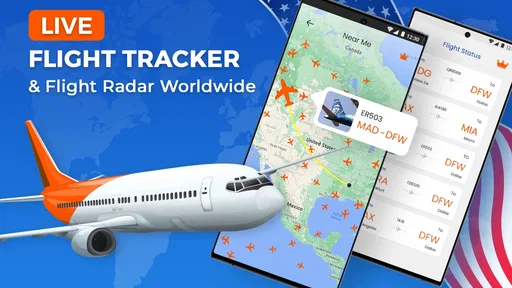
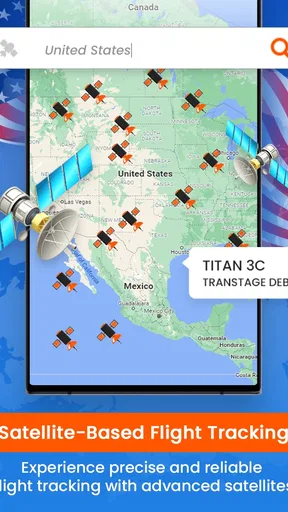
The USA Flight Tracker: Monitoring app is designed to provide real-time updates on flights across the United States. Whether you're a frequent flyer, a travel enthusiast, or someone coordinating airport pickups, this app offers a suite of features that cater to your needs.
Real-Time Flight Tracking
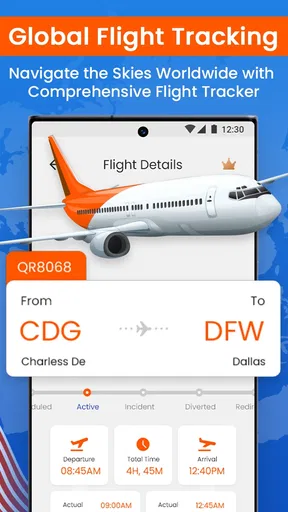
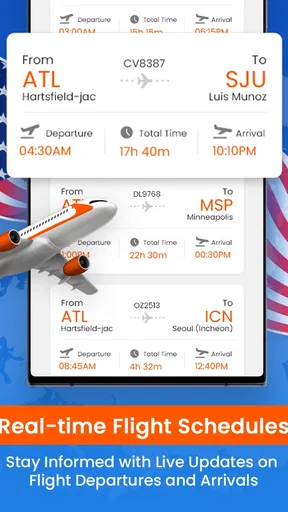
One of the standout features is its ability to track flights in real-time. I tested it by following a couple of domestic flights, and I was impressed by the accuracy. The app provides detailed information such as departure and arrival times, delays, and even gate numbers. It’s like having a personal flight assistant in your pocket. No more refreshing websites or calling the airline for updates!
Intuitive User Interface
The app’s interface is super user-friendly. Even if you’re not tech-savvy, you’ll find it easy to navigate. The design is clean and uncluttered, which makes finding the information you need a breeze. I particularly appreciate the search function; type in a flight number or airport code, and you’re good to go.
Customizable Alerts
Another handy feature is the customizable alerts. You can set notifications for specific flights to get updates on any changes. I tried setting up alerts for a friend’s flight, and it worked like a charm. The app sent timely notifications about boarding times and delays, which is a lifesaver if you’re juggling multiple tasks or on the go.
"It’s like having a personal flight assistant in your pocket."
Additional Features Worth Mentioning
Beyond the essentials, the app offers some cool extras. There’s a section for airport information, which includes maps, weather updates, and even parking tips. If you’re traveling to an unfamiliar airport, this feature comes in handy. The app also lets you track flight history, which can be useful for frequent travelers who like to keep tabs on their journeys.
Areas for Improvement
While the app is fantastic overall, it’s not without its quirks. Occasionally, the app takes a few extra seconds to load data, especially during peak times. It’s not a deal-breaker, but something to be aware of if you’re in a rush. Also, the app could benefit from a dark mode feature for those late-night travel checks.
Wrapping Up My Experience
In conclusion, USA Flight Tracker: Monitoring is a must-have tool for anyone who flies regularly or needs to stay updated on flight information. It’s reliable, efficient, and packed with features that make travel planning a whole lot easier. So next time you’re heading to the airport, give it a try. Trust me, you’ll wonder how you ever traveled without it!
Pros
- Real-time flight updates enhance travel planning.
- User-friendly interface for easy navigation.
- Comprehensive airport information available.
- Customizable alerts for flight changes.
- Offline mode for access without internet.
Cons
- Limited airline coverage in some regions.
- Ads can be intrusive during use.
- Requires premium for advanced features.
- Battery drain due to GPS tracking.
- Occasional app crashes reported.
FAQs for USA Flight Tracker: Monitoring
How accurate is the USA Flight Tracker: Monitoring app?
The USA Flight Tracker: Monitoring app offers real-time flight tracking with high precision. It uses advanced algorithms and data from official sources to provide live updates on flight status, delays, and changes. While it is highly reliable, occasional discrepancies may occur due to unforeseen technical issues or data lags.
Can I track international flights using this app?
Yes, the USA Flight Tracker: Monitoring app supports tracking for both domestic and international flights. Users can follow flights departing from or arriving in the United States, as well as international routes. The app offers comprehensive details, including flight paths and estimated arrival times, ensuring you stay informed wherever you are.
What features are included in the free version of the app?
The free version of the USA Flight Tracker: Monitoring app includes basic functionalities such as live flight tracking, departure and arrival times, gate information, and delay notifications. However, advanced features like in-depth flight analytics and ad-free experience may require a premium subscription. This tiered approach allows users to choose based on their needs.
Is the USA Flight Tracker: Monitoring app available for both Android and iOS devices?
Yes, the app is available for both Android and iOS platforms. It can be downloaded from the Google Play Store for Android users and the Apple App Store for iOS users. The user interface is optimized for both operating systems, ensuring a seamless experience across devices.
How can I receive alerts for specific flights?
To receive alerts for specific flights, users need to enable notifications within the app settings. After selecting a flight, you can opt-in for updates on status changes, delays, and gate information. Customizing alerts allows you to tailor the app’s notifications to your preferences and stay informed about flights that matter to you.


